
Feature 15 of 16 · New
Asset register
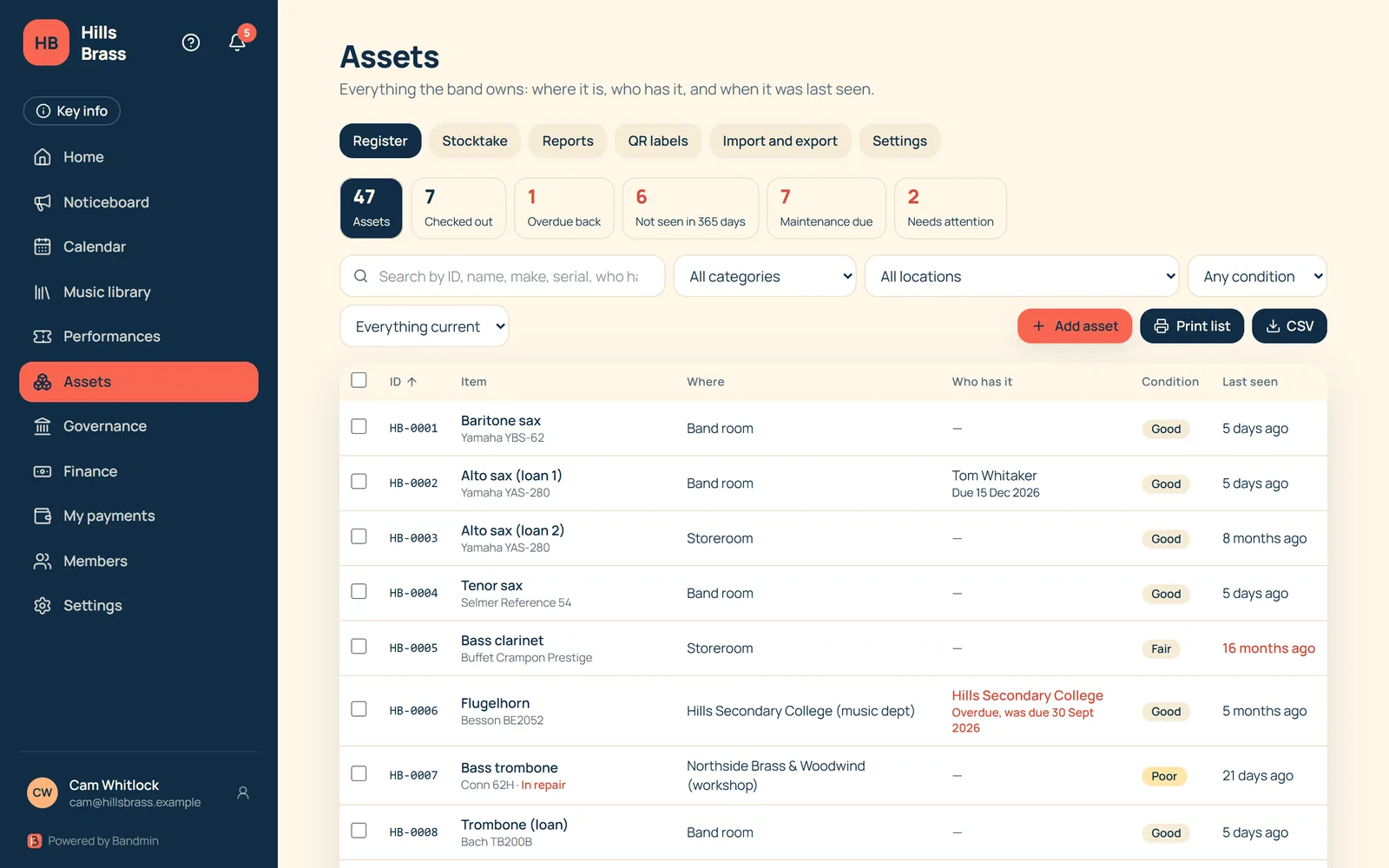
Instruments, uniforms, stands and more: one register that stays up to date, from the storeroom to the loan to the repair shop.
What you track
- ID, make, model, serial number, purchase date and price, location, condition and status.
- Who has it: a member or an outsider such as a school, with a due-back date.
- When it was last seen, and when it was last and next maintained.
- Notes, plus your own custom columns. Every asset keeps a history.
Bring your list in
- Import from Excel or CSV. Bandmin guesses the columns, you correct them, and any it doesn’t recognise can be kept as custom columns. Day-first dates are understood.
- Export to CSV or Excel whenever you like.
Stocktakes and reports
- Printable asset lists and stocktake sheets.
- A stocktake screen: scan or type IDs and it finds what is missing and moves misplaced items.
- Reports such as “not seen in x days”, maintenance due and overdue returns.
QR labels
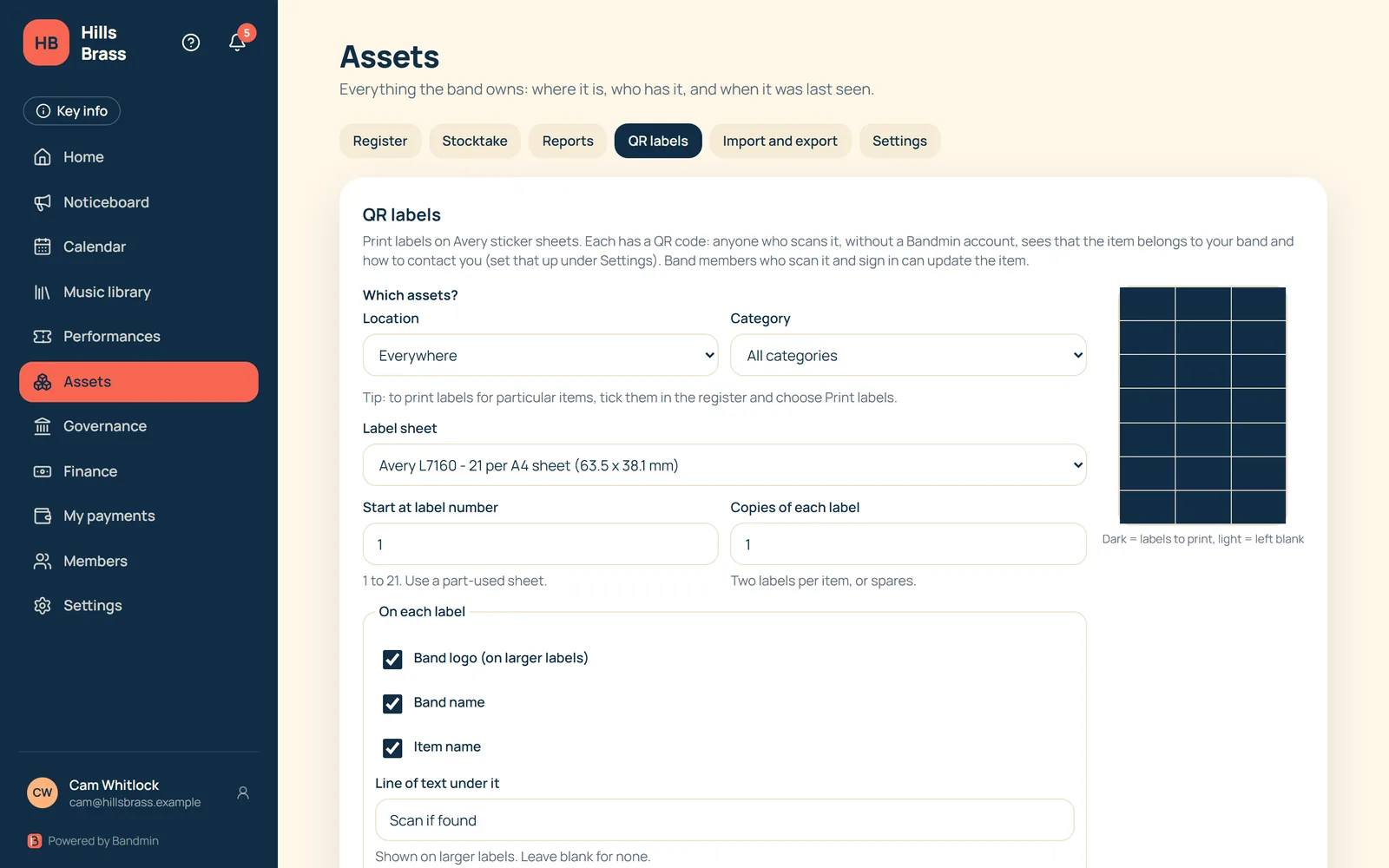
- Print QR labels on Avery sticker sheets: L7160, L7161, L7159, L7163, L7162, L7165, L7651 and US 5160.
- Anyone can scan a label, with no Bandmin account. They see who owns the item, plus the contact details and logo your band chooses.
- A finder never sees who has the item, where it is kept, or what it cost.
- Band members who sign in can update the item.
Coming later
- Scanning labels with the camera inside the app
- Stocktakes that work offline
- Maintenance reminder emails
Want to hear when Bandmin is ready?
Leave your email and we’ll keep you posted.