
Feature 14 of 16 · New
Stage plots
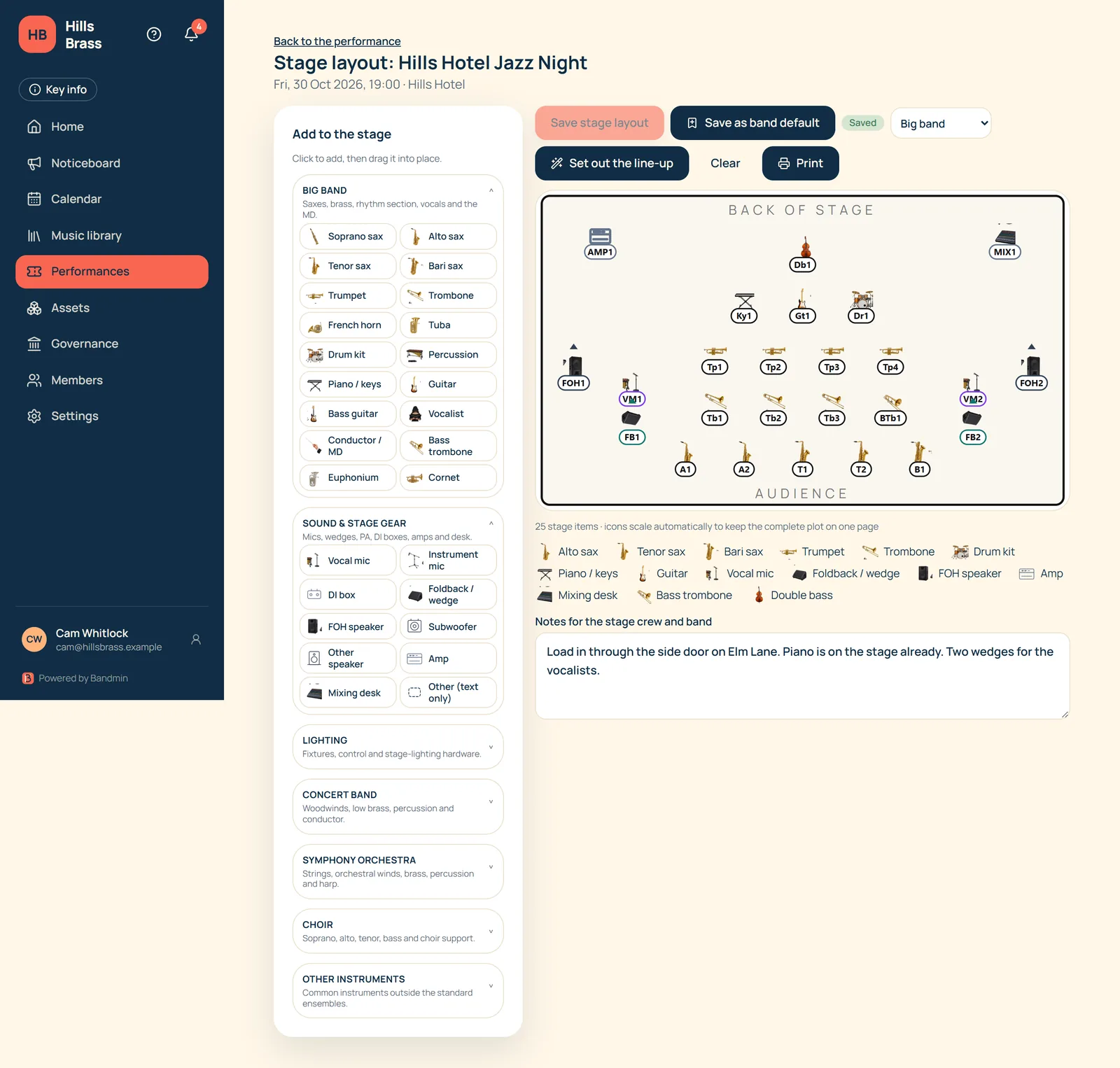
Draw the stage for any performance, from the line-up you already have, and hand the crew a clean one-page plot.
Start from the line-up
- A performance with no stage yet starts from its line-up, laid out in your band’s usual style.
- “Set out the line-up” re-seats everyone whenever the line-up changes. Mics and speakers you have already placed stay put.
- Instruments Bandmin does not recognise are listed so you can add them by hand.
Drag it into place
- Pick from the palette, then drag each item where it goes. Arrow keys nudge it.
- Recognisable instrument icons with numbered labels, such as A1, T2 and Tp3. Labels fill in automatically and can be changed.
- Toolboxes for big band, concert band, symphony orchestra, choir and other instruments, plus sound gear and lighting.
- Icons scale down automatically for large ensembles, so the whole plot stays on one page.
Sound and stage gear
- Vocal mics, instrument mics, foldback wedges, FOH speakers, subs, DI boxes, amps and the mixing desk.
- Vocal and instrument mics look different on purpose, so they still read on a black and white print.
- Speakers, wedges and instrument mics can be turned, with an arrow showing which way they point.
Layout styles
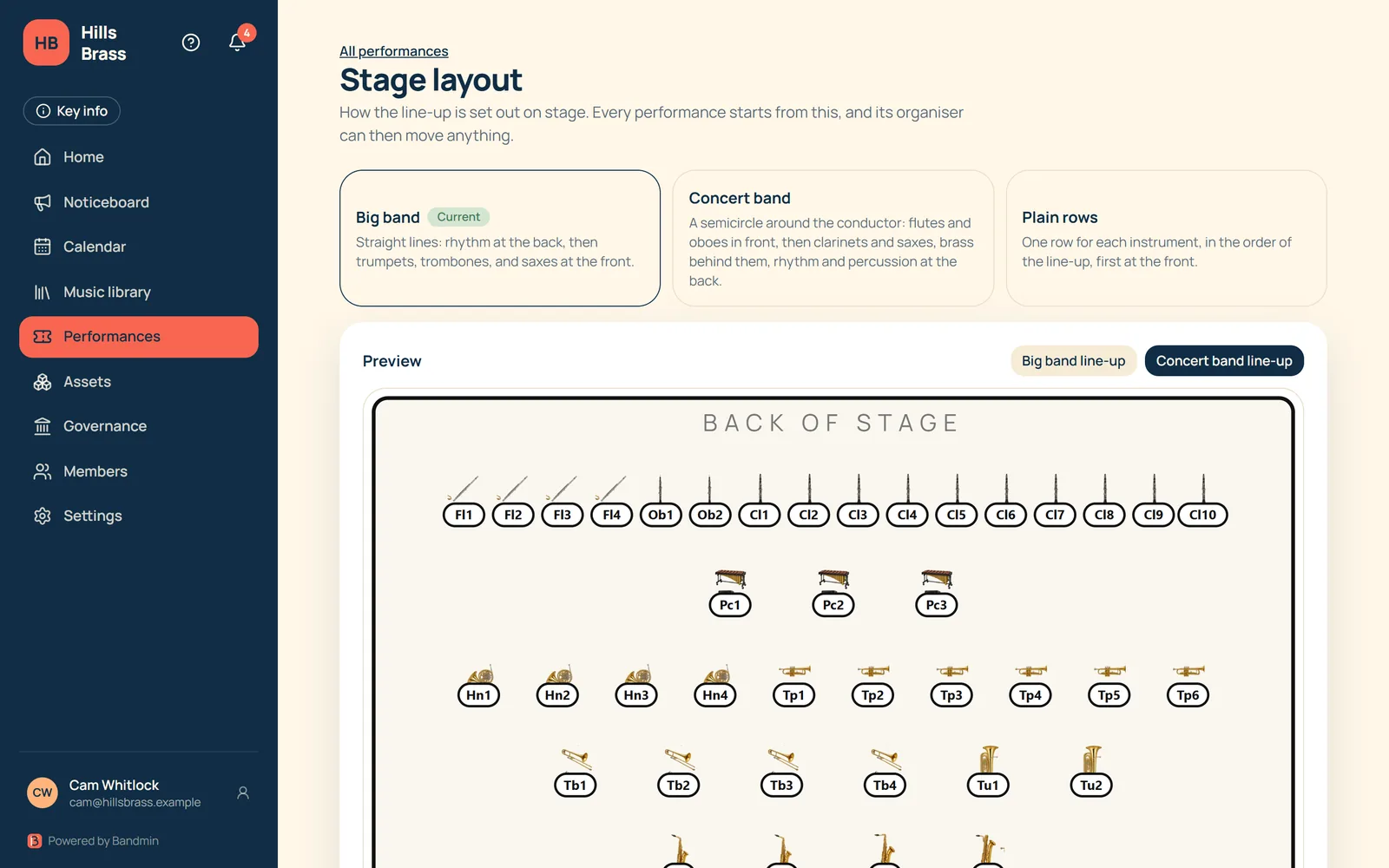
- Choose big band (straight lines), concert band (a semicircle around the conductor) or plain rows.
- Set your band’s default under Settings, with a live preview of each style.
- Each performance can switch style or move anything by hand.
- Save a plot as your band default to reuse it as the starting point for future performances.
Share and print
- Add notes for the stage crew and the band, such as load-in details.
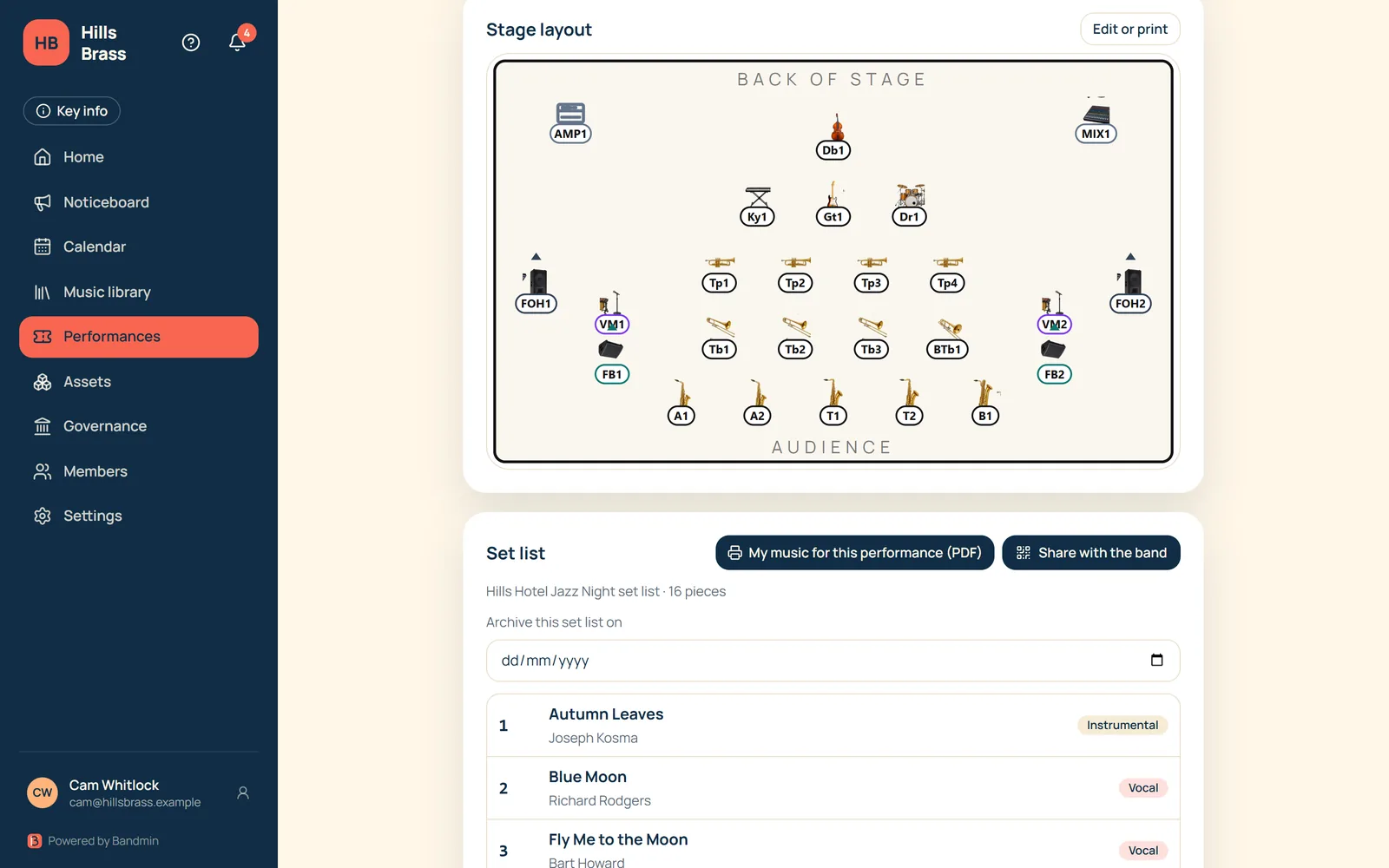
- Anyone who can see the performance can open and print the plot on one landscape A4 page, with a key.
- The plot also shows on the performance page, and the set list’s QR code links to it.
Want to hear when Bandmin is ready?
Leave your email and we’ll keep you posted.